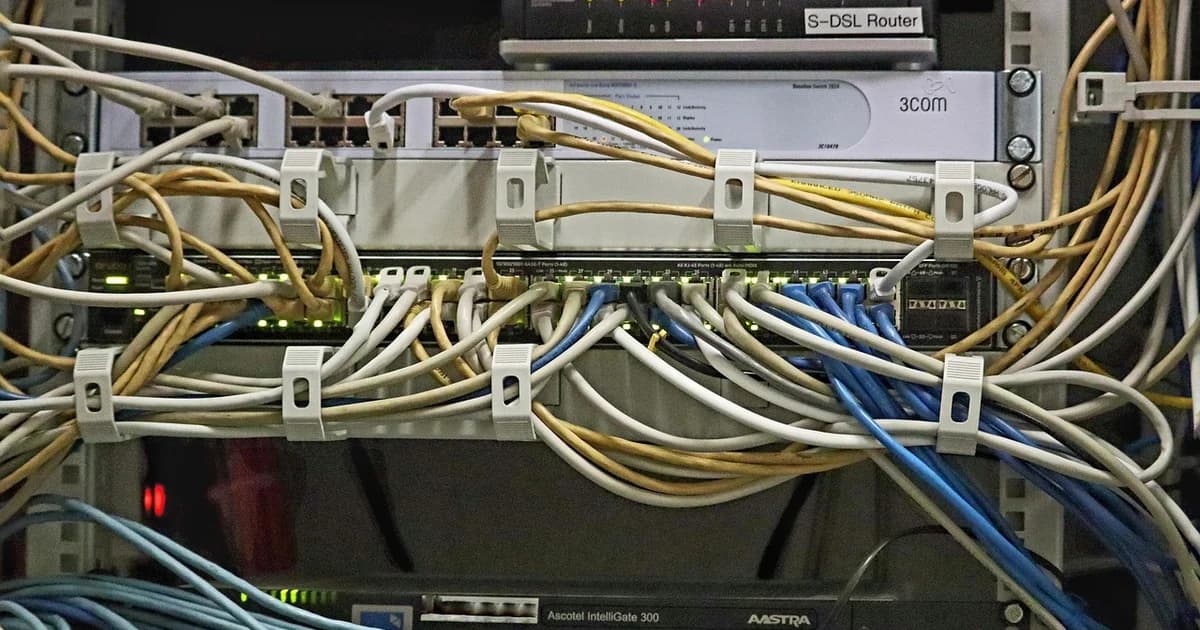
Introduction to Simulcasting
Simulcasting is the process of broadcasting a live stream simultaneously to multiple platforms or destinations. This technique allows content creators and live streamers to reach a wider audience and maximize engagement. Common platforms for simulcasting include YouTube, Twitch, Facebook, and more. By simulcasting, you can leverage the unique features and audiences of different streaming services, increasing the visibility and impact of your content.
Benefits of Simulcasting
- Increased Reach: Simulcasting allows you to reach viewers on multiple platforms, expanding your audience.
- Engagement Boost: Engage with fans on their preferred platforms, fostering a broader community.
- Cross-Promotion: Promote your content across platforms, driving traffic and increasing your brand presence.
Setting Up Your Streaming Environment
Hardware Requirements
- Camera: A high-quality webcam or external camera to capture the video feed.
- Microphone: A good quality microphone for clear audio.
- Computer: A powerful computer with sufficient RAM and processing power to handle live encoding and streaming.
- Networking Equipment: High-speed internet connection, router, and possibly a network switch for redundancy.
Software Requirements
- Streaming Software: OBS (Open Broadcaster Software), Streamlabs OBS, XSplit, or similar.
- Encoding Software: FFmpeg for command-line encoding and streaming.
- Streaming Services: Accounts on the platforms you wish to simulcast to (e.g., YouTube, Twitch).
Network Considerations
- Bandwidth: Ensure you have sufficient upload bandwidth to stream without interruptions.
- Stability: Use a reliable internet connection and consider backup internet sources.
- Latency: Minimize latency issues by optimizing your network settings and using low-latency protocols.
Understanding Streaming Protocols
RTMP (Real-Time Messaging Protocol)
- Definition: RTMP is a proprietary protocol developed by Adobe Systems for streaming audio, video, and data over the internet.
- Usage: Commonly used for streaming to servers like Wowza and NGINX RTMP.
- Limitations: Requires a server to receive the stream, not suitable for direct browser playback.
HLS (HTTP Live Streaming)
- Definition: HLS is a protocol developed by Apple for streaming media content over the HTTP protocol.
- Usage: Used for streaming to mobile devices and web browsers.
- Advantages: Works well on mobile platforms and supports adaptive bitrate streaming.
WebRTC (Web Real-Time Communication)
- Definition: WebRTC is a free, open-source project that provides web browsers and mobile applications with real-time communication (RTC) via simple APIs.
- Usage: Primarily used for peer-to-peer streaming between browsers or mobile apps.
- Advantages: Low latency and good performance, ideal for interactive streaming.
Using Cloud Services for Simulcasting
Cloud Service Providers
- Amazon Web Services (AWS): Offers robust infrastructure for streaming and supports various protocols.
- Microsoft Azure: Provides services like Azure Media Services for high-quality streaming.
- Google Cloud: Supports live streaming through Google Cloud Video Intelligence and other services.
Benefits and Limitations
- Benefits: Scalability, reliability, and easy setup with minimal hardware requirements.
- Limitations: Cost can be high, especially for large-scale streaming operations.
Cost Considerations
- Pay-as-you-go Models: Many cloud providers offer pay-as-you-go pricing based on usage.
- Reservations and Savings: Use reserved instances or savings plans to reduce costs for predictable workloads.
Local NGINX RTMP Setup
Overview of NGINX RTMP Module
- Functionality: The NGINX RTMP module allows you to set up a streaming server that can receive and relay RTMP streams.
- Configuration: Requires NGINX to be installed and configured with the RTMP module.
Step-by-Step Configuration Guide
- Install NGINX:
sudo apt-get update
sudo apt-get install nginx
- Install NGINX RTMP Module:
git clone https://github.com/arut/nginx-rtmp-module.git
- Configure NGINX:
Add the following to your NGINX configuration file:
rtmp {
    server {
        listen 1935;
        chunk_size 4096;

        application live {
            live on;
            record off;
        }
    }
}
- Restart NGINX:
sudo systemctl restart nginx
Troubleshooting Common Issues
- Stream Not Starting: Ensure the RTMP module is correctly installed and the NGINX server is running.
- Connection Issues: Check network configurations and firewall settings.
- Error Messages: Review NGINX logs for any errors or warnings.
Configuring Stream Keys and URLs
- Stream Keys: Obtain the stream keys from each platform you wish to stream to.
- URLs: Use the provided URLs from each platform to specify the destination of your stream.
Scheduling and Timing Considerations
- Pre-scheduled Streams: Use OBS or other software to schedule streams in advance.
- Timing Adjustments: Adjust the timing of your streams to maximize engagement during peak hours.
- Consistent Quality: Ensure the same quality and resolution across all streams.
- Promotion: Promote your streams on all platforms to attract viewers.
Optimizing Stream Quality and Reliability
Encoding Settings
- Bitrate: Adjust the bitrate based on your network conditions and target audience.
- Resolution: Choose a resolution that balances quality and performance.
- Frame Rate: Set the frame rate to match the intended playback speed.
Adaptive Bitrate Streaming
- Multiple Resolutions: Encode streams at multiple resolutions.
- Dynamic Switching: Use adaptive bitrate streaming to switch resolutions based on network conditions.
Error Recovery and Redundancy
- Redundant Connections: Use multiple network connections to ensure reliability.
- Error Correction: Implement error correction protocols like SRT (Secure Reliable Transport).
Security and Privacy Considerations
Protecting Stream Keys
- Access Control: Use secure methods to protect stream keys.
- Regular Rotation: Rotate stream keys periodically to enhance security.
Preventing Unauthorized Access
- Authentication: Implement authentication mechanisms to restrict access.
- Monitoring: Regularly monitor your streams for any unauthorized activity.
Legal and Compliance Issues
- Content Licensing: Ensure you have the necessary licenses for the content you stream.
- Privacy Policies: Comply with privacy laws and regulations when streaming personal or sensitive information.
Advanced Techniques
Implementing Automated Failover
- Redundant Servers: Set up redundant servers to handle failover scenarios.
- Health Checks: Use health checks to monitor the status of your streaming servers.
Using CDN for Global Reach
- Content Delivery Networks (CDN): Use CDNs to distribute your content globally.
- Low Latency CDNs: Choose CDNs optimized for low-latency streaming.
Integrating Analytics and Monitoring
- Analytics Tools: Use analytics tools to track viewer engagement and performance metrics.
- Monitoring Systems: Implement monitoring systems to alert you of any issues.
Choosing the Right Solution for You
Evaluating Cloud vs. Local NGINX
- Cloud Services: Ideal for scalability, reliability, and minimal maintenance.
- Local NGINX: Suitable for smaller operations where control is important.
Factors to Consider
- Budget: Cloud services can be more expensive, especially at scale.
- Control: Local setups offer more control over your infrastructure.
- Scalability: Cloud services scale easily as your needs grow.
Conclusion
Simulcasting is a powerful technique for expanding your reach and engagement across multiple platforms. By understanding the technical aspects and best practices, you can set up a robust simulcasting environment that meets your needs. Whether you choose cloud services or a local NGINX RTMP setup, the key is to optimize for quality, reliability, and security to ensure a seamless streaming experience for your viewers.